Decision making
Participants research a product or topic — across search engines, review sites, forums, Wikipedia — then make a choice in your experiment.
You see what they chose, but not which sources they found, how they compared options, how they refined their queries, or what they ignored.
AI interaction
Participants use AI assistants alongside search engines. When do they turn to AI vs. Google? How do they phrase prompts? Do they verify answers — click links, cross-check — or trust the AI fully?
The prompting behavior, the switching, the verification habits — all invisible to you.
Usability
Participants complete a task on a website. How many clicks before they reach the goal? Do they use search or navigate menus? Where do they get stuck and backtrack?
You see whether they finished, but not the navigation path, the dead ends, or the hesitations.
So researchers fall back on screen recordings, browser extensions, and think-aloud protocols. None of them give you structured data.
The browser is the one place where all of this is visible.
How behavioral studies run in LaBrowser
Define your study
Set allowed domains, capture rules, and start URL in the Study Console. Add an experiment pane for instructions.
Participants browse
They use LaBrowser instead of their normal browser. Everything inside is logged. Everything outside is untouched.
Analyze structured data
Every navigation, click, search query, and chat prompt — captured as typed, timestamped events. Export or explore in the Console.
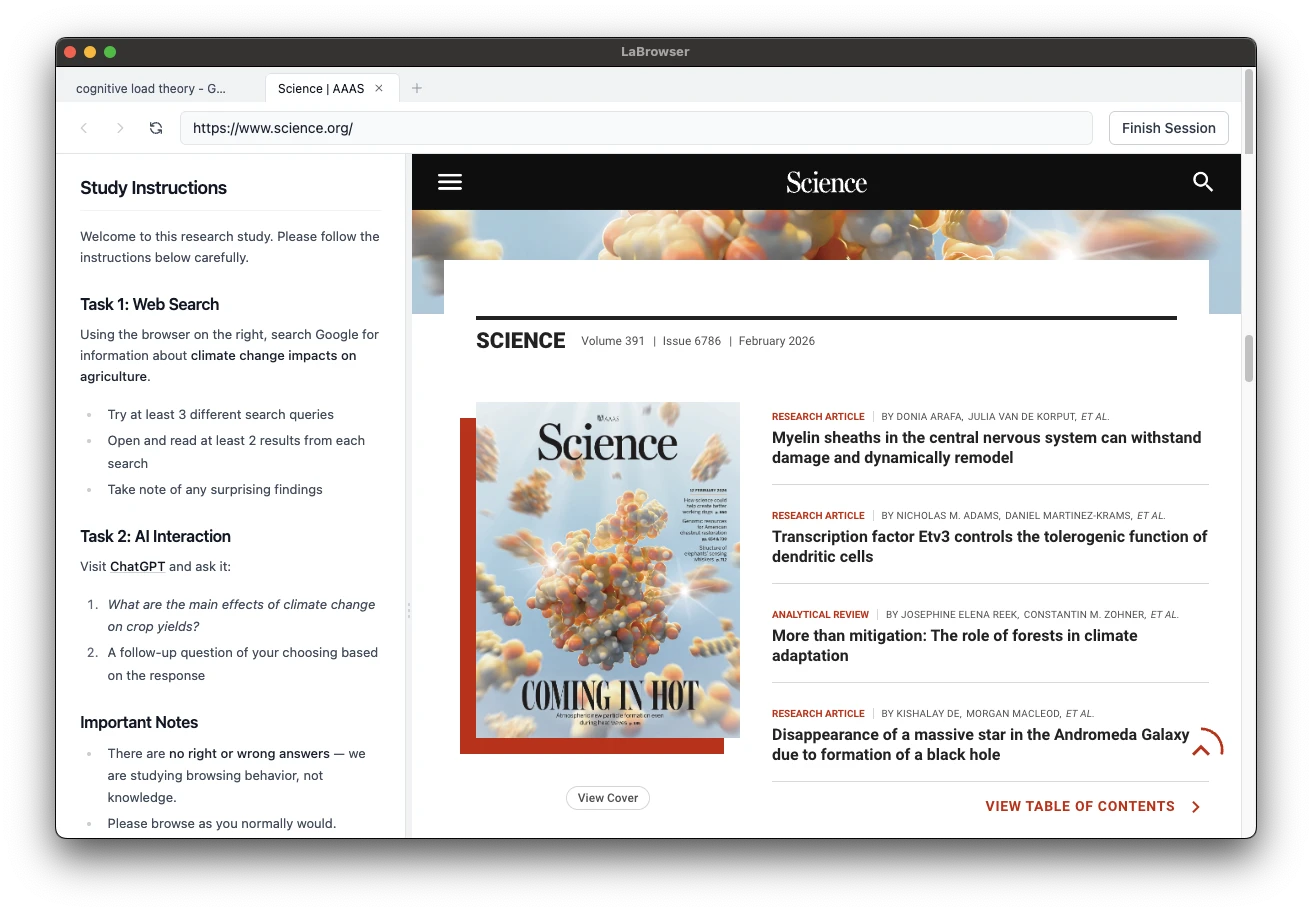
Participant browses in LaBrowser
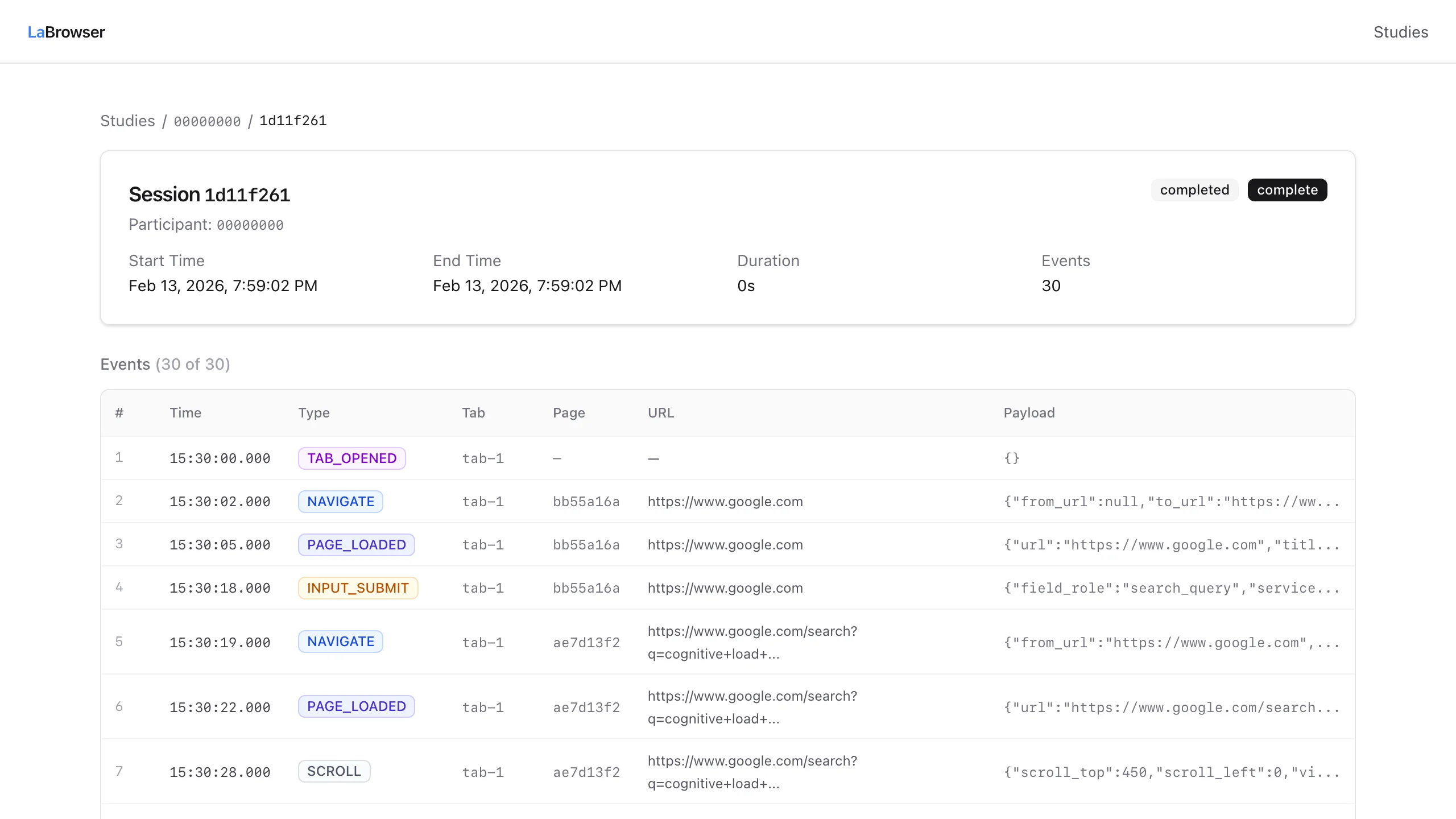
Researcher sees structured event data
Click to enlarge
Built for research and user behavior studies
Full event capture
Navigation, clicks, scrolls, search queries, chat prompts. Not limited by extension APIs.
Domain enforcement
Whitelist exactly which sites participants can visit. No distractions, no data leakage.
Experiment pane
Show instructions or custom experimental UI alongside the browsing pane.
Structured parsers
Auto-detect Google search sessions and ChatGPT conversations. Build custom parsers for any site.
Recovery-aware sessions
Data is stored locally first, resumes syncing after interruptions, and supports recovery if a session is interrupted.
Privacy boundary
Everything in LaBrowser is logged. Your normal browser is not. Email addresses are automatically anonymized before data is stored.
Multi-tab browsing
Real tabs, real address bar, real back/forward. Participants browse naturally — you get every event.
Learn the workflow
Understand how researchers set up, run, and review a behavioral study in LaBrowser.
See structured outputs
Review how parsers and event capture turn browsing sessions into analyzable data.
Browse example studies
See search behavior and decision-making data from public example studies.